Connect Claude
Add Qaldy to claude.ai or Claude Desktop as a custom connector, sign in to Qaldy in the window that opens, and ask Claude about your workspace.
This works on claude.ai and in Claude Desktop with the same steps. You do not install anything and you do not copy a token.
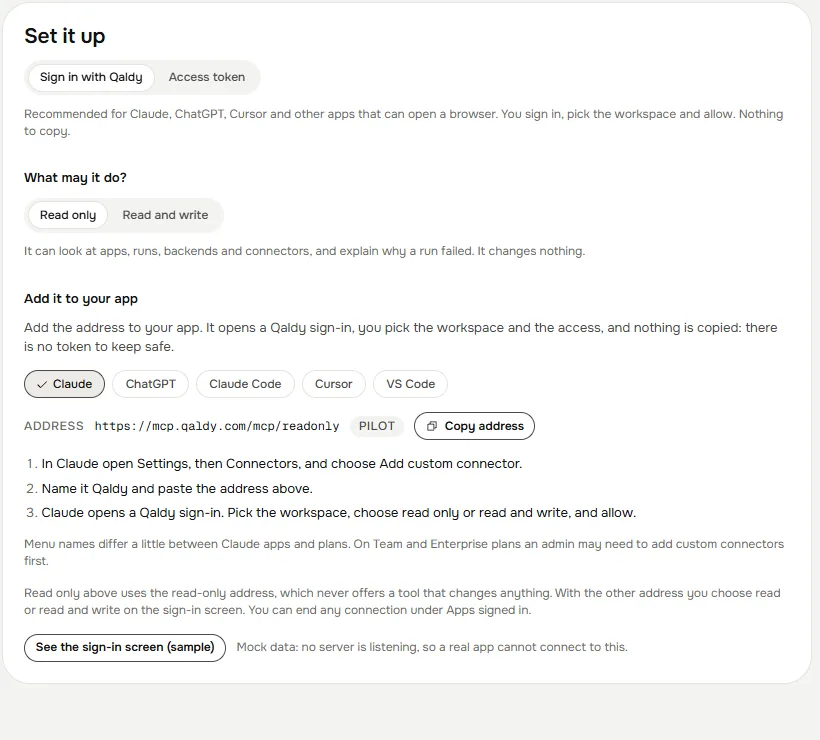
Open Settings, then Connectors, then Add custom connector.
Name it
Qaldyand paste the address:text https://mcp.qaldy.com/mcpAdd it. A Qaldy window opens. Sign in if you are not, then choose the workspace and whether the connector may only read or may read and write.
Press Allow. The window closes and Qaldy appears in your connectors.
In a chat, turn the connector on from the tools menu.
What you will see in Qaldy#
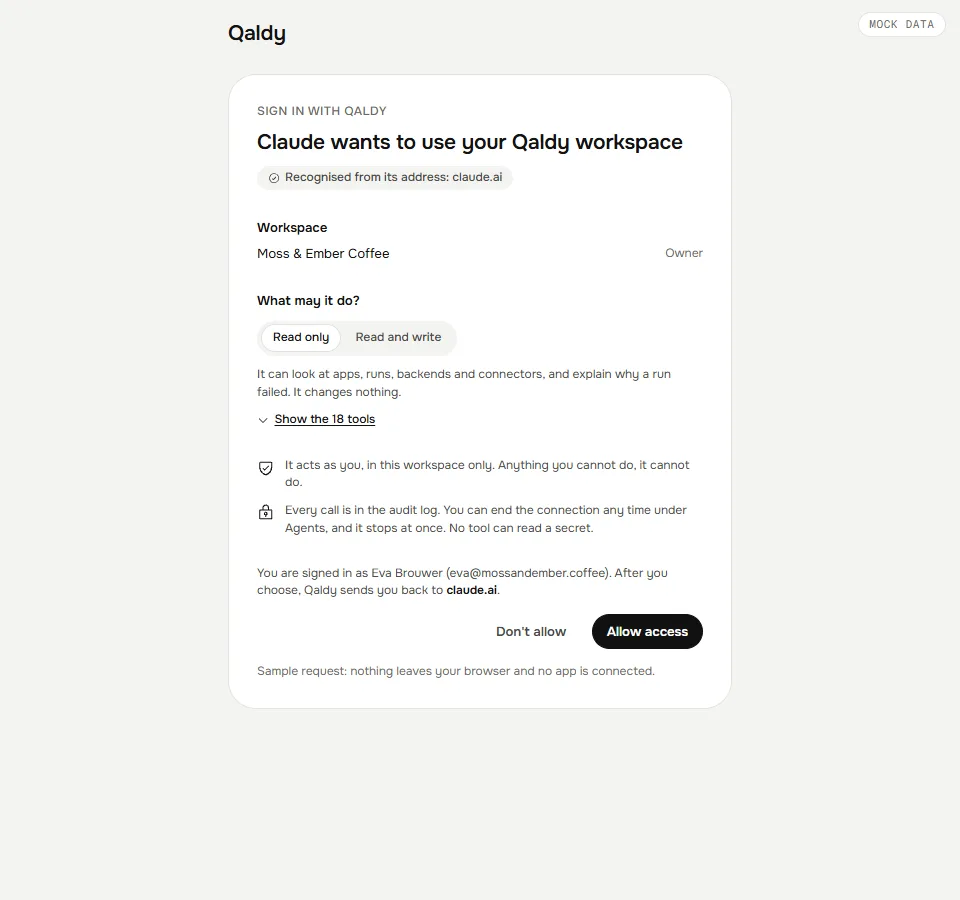
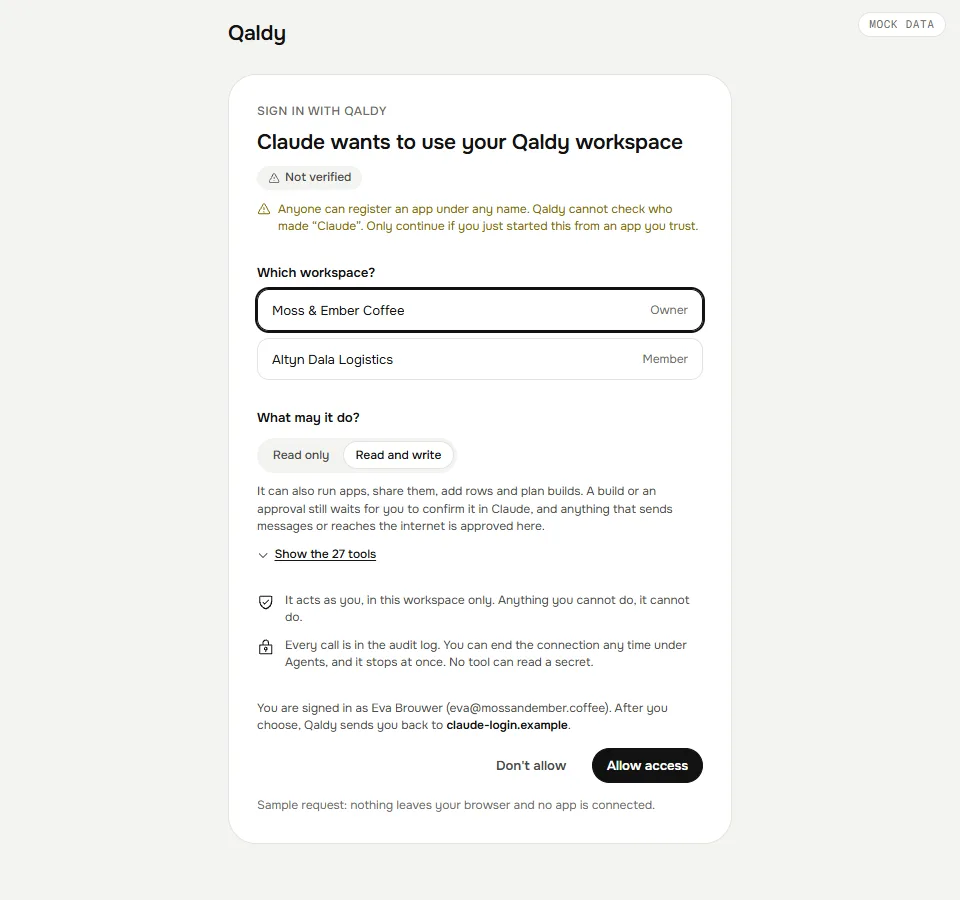
The sign-in page tells you three things, and you should read them:
- Which app is asking, and where your browser goes next. A name an app chooses for itself is never trusted. An app Qaldy cannot tell from its address is marked Not verified, and an app on your own computer says so.
- Which workspace. One workspace per connection. To use a second workspace, add the connector again and choose the other.
- What it may do. Read only offers the read tools and nothing else. Read and write adds the tools that change things; a build or an approval still waits for you.
Try it#
Ask in plain words:
- "List my Qaldy apps and tell me which ones are failing."
- "Why did the last run of Support Triage fail?" Claude reads the run step by step, including the call the gate refused.
- "Plan an app that posts to Telegram when coffee beans drop below 5 kg." Claude plans it and shows every permission as a sentence. Nothing is built. When you tell it to approve, Claude asks you to confirm in its own window, and the exact plan it showed is what gets built.
Ending access#
Open Agents in the console (https://app.qaldy.com/agents). Apps signed in lists every connection with when it last called. End one and it stops working at once. The tokens behind it belong to that app, that workspace and that access, and nothing else.
Next: Tools, How an agent stays safe.