Connectors
How an app talks to Telegram, Google Sheets, email, GitHub, Kaspi, Bitrix24 or any HTTPS API without ever holding a key. The full catalog, with what works today and what does not.
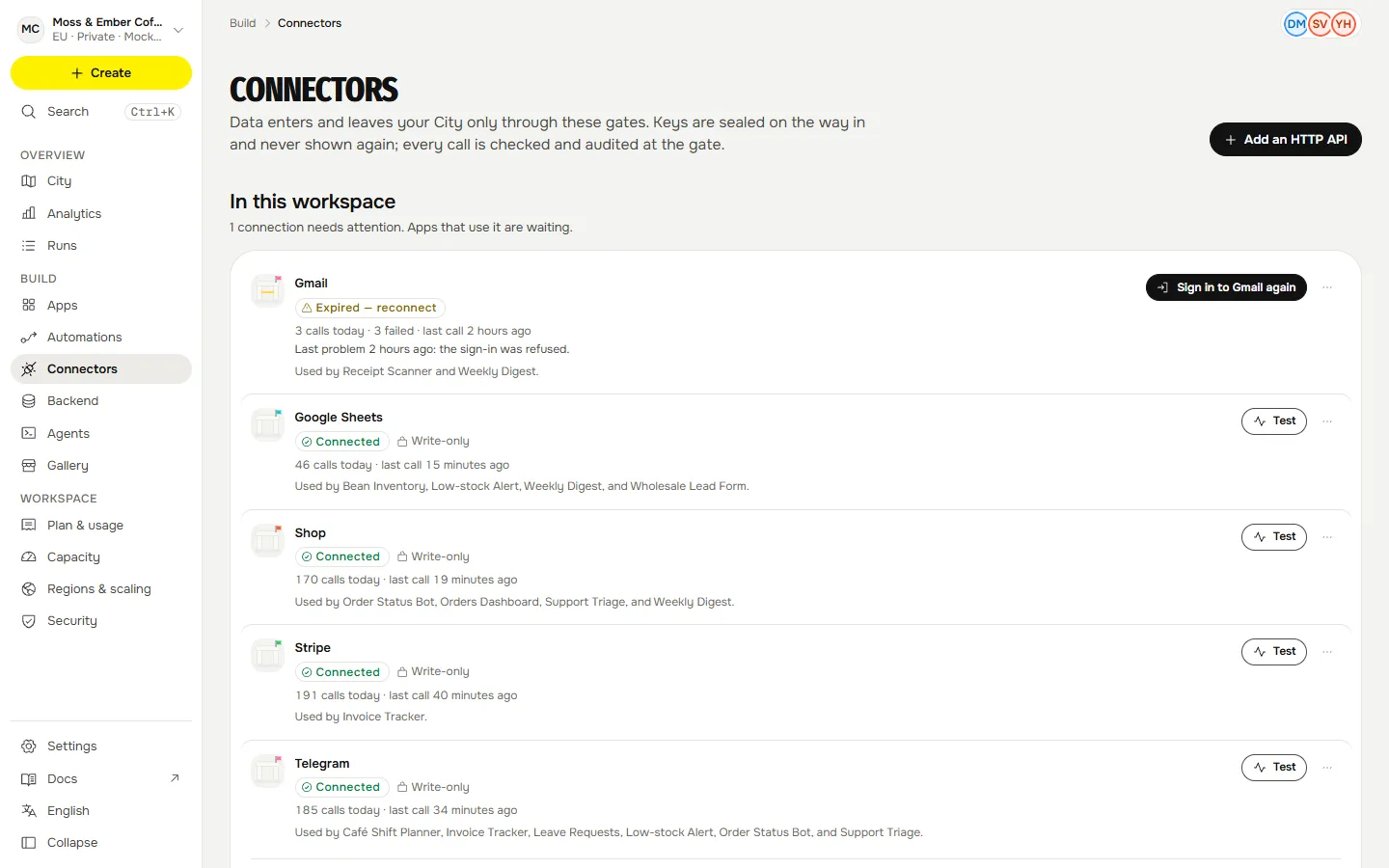
A connector is how data enters and leaves a workspace. In the City it is a gate on the island's edge; in the console it lives at Connectors. An admin pastes a key once; the API seals it to the gate; the gate opens it for one call at a time, adds it to the request and scrubs it from the reply. App code never holds a credential. Every call and every refusal is an audit row.
The catalog#
This table is read from the same catalog the console shows, so a status here is the status there.
| Service | Group | Status | How you connect | Regions |
|---|---|---|---|---|
| Kaspi | Commerce and payments | Preview | API key | global, Kazakhstan |
| Ozon | Commerce and payments | Planned | API key | global, Kazakhstan |
| Shop | Commerce and payments | Planned | API key | global, Kazakhstan |
| Shopify | Commerce and payments | Preview | API key | global, Kazakhstan |
| Stripe | Commerce and payments | Available | API key | global |
| Wildberries | Commerce and payments | Preview | API key | global, Kazakhstan |
| amoCRM | CRM | Preview | API key | global, Kazakhstan |
| Bitrix24 | CRM | Available | Webhook URL | global, Kazakhstan |
| HubSpot | CRM | Preview | API key | global |
| 1C | Data and docs | Planned | Username and password | global, Kazakhstan |
| Airtable | Data and docs | Available | API key | global |
| Google Sheets | Data and docs | Preview | Service account key file | global, Kazakhstan |
| Notion | Data and docs | Available | API key | global |
| GitHub | Developer | Preview | API key | global |
| HTTP API | Developer | Available | API key | global |
| Linear | Developer | Preview | API key | global |
| Gmail | Needs OAuth app | OAuth sign-in | global, Kazakhstan | |
| Postmark | Available | API key | global | |
| Resend | Available | API key | global | |
| Slack | Messaging | Available | Webhook URL | global |
| Telegram | Messaging | Available | Bot token | global, Kazakhstan |
| WhatsApp Business | Messaging | Preview | API key | global, Kazakhstan |
What the statuses mean#
| Status | Meaning |
|---|---|
| Available | Works end to end through the gate. |
| Beta | Works, with limits listed on its page. |
| Preview | Built from the provider's own documentation (an HTTP preset, or the Google Sheets connector tested against a stand-in) and not yet run against a live account, so a first call may need a fix. Tell us what the service answered. |
| Needs OAuth app | Waits for an OAuth client to be registered for this install. |
| Planned | Not served by the gate yet. It cannot take a key: the sheet says so and the API refuses one. The HTTP API connector reaches most APIs meanwhile. |
How a service is reached#
- Native: Telegram and Google Sheets have their own routes in the gate, with typed actions.
- A preset on the HTTP API connector: for a service without a native route, the connection is filled in from a preset: the host, how the key is sent, the narrowest methods and path prefix that do the job, and fixed headers. Presets are ordinary HTTP API connections with the same fence, scrubbing and audit. Resend, Postmark, Slack, Notion, Airtable, Stripe (read-only), GitHub, Linear, WhatsApp Business, Kaspi and Bitrix24 work this way.
- Any HTTPS API: the HTTP API connector takes a base URL, an auth style and a key. Only HTTPS on a public host; the admin fixes the host, and the gate pins every call to it.
In every case the app's manifest lists the connector and the actions it uses; anything else is refused.
Bringing a workflow with you#
Already have one in n8n, Zapier or Make? Import it: Qaldy reads the export, tells you step by step what maps and what needs a connection, and leaves the result switched off until its owner has reviewed it. Preview
How a call flows#
app: ctx.connectors.telegram.sendMessage(…)   or   ctx.connectors.http('conn_…').get('/v1/items')
  → https://connector.qaldy.internal/<route>        (resolves nowhere: the sandbox has no network)
  → runtime host signs {app, version, workspace, run, method, url, body hash}
  → gate: verify → is it in the version's manifest? → open the sealed key
          → pin the host, connect only to addresses it checked → call → scrub the key from the reply
  → audit row + City event (a parcel between the app and its gate)
Connect one#
- Open Connectors (admins only) and choose the service.
- The sheet lists the steps, with a Where to get it link to the provider's own key page.
- Paste the key and press Seal and connect. It is write-only from now on.
- Press Test connection. The gate makes one harmless call and tells you what the service answered.
- Build an app that uses it; the plan lists the connector as a sentence for an admin to approve.
The connection belongs to the workspace, not to you. If you leave, it stays. A key can be replaced without stopping the apps, given an expiry date, and revoked in one step. If a key breaks, the card says Expired, reconnect or Not working, reconnect, and the apps waiting on it say so too.
Workspaces that stay in Kazakhstan#
A workspace with the strict Kazakhstan policy only allows connectors whose regions include Kazakhstan. An arbitrary HTTP API is global only, because Qaldy cannot vouch for where its data lives. See Kazakhstan.