On your phone
Preview
Install the console as an app, decide approvals and raise the spending cap with large buttons on /phone, and get a notification when something needs you. Preview.
An approval waits for a person. A person is often not at a desk. So the console can be installed on a phone, and one screen of it, Phone, is made for a thumb.
Install it#
Open the console in your phone's browser and press Install where it is offered (Android and desktop browsers), or in Safari on an iPhone tap Share, then Add to Home Screen. Qaldy then opens from your home screen, full screen, like any other app. The app is the same console: it is a web page that can be installed, not a separate program.
The installed app keeps only the shell of the console, so it opens without a network and says "You're offline" instead of a blank page. It never keeps your data: nothing from the API is stored on the phone, and it never touches another website. That rule is tested.
The Phone screen#
Open /phone (the installed app starts there). Three panels:
- Approvals. Large Approve and Decline buttons for what is waiting for you, with who asked. Only the person asked can decide; approvals waiting for teammates are counted, not shown. A decision here is the same decision as in the console, with the same checks.
- Runs. The latest runs, failures first, with the reason in a sentence and Run again.
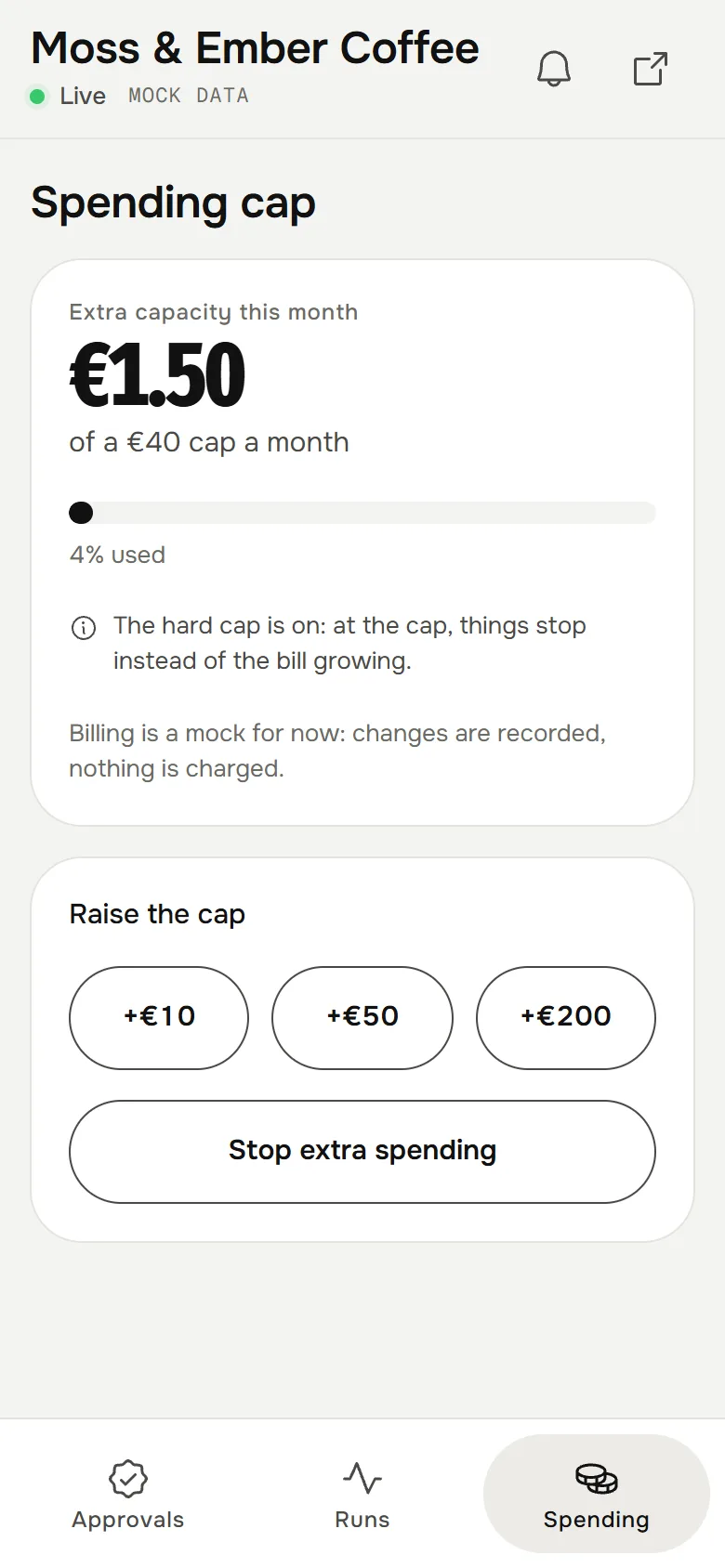
- Spending. This month against the spending cap, with three big steps to Raise the cap and Stop extra spending. Only the owner changes the cap; admins see the figures; others are told to ask. Billing is mock, so a change is recorded and nothing is charged.
Notifications#
On This phone, press Notify me on this phone and allow notifications in the browser. You are told when:
- an approval is waiting for you;
- an app fails (at most once per app per half hour), the spending cap is reached, or an alert rule you set fires. These go to owners and admins.
The words are fixed per language and never carry a raw error message or anything an app wrote. A phone hears at most 20 an hour, and is dropped when its browser's push service says it is gone. Send me a test checks that it arrived.
How they travel: Web Push, the standard that browsers use, encrypted to the one browser (RFC 8291). Qaldy sends only to the push services of the big browsers (Google, Apple, Mozilla and Microsoft), so a subscription cannot be used to aim the server at anything else.
What has to be switched on#
Notifications work only where the API host has a pair of push keys set. Where it has none, the Phone screen says "Notifications aren't set up on this server yet. Ask the person who runs it." On the pilot that is a step for the operator, and until it is done the Phone screen works without notifications.
Telegram buttons for approvals, a mini app inside Telegram, are Planned.