Watch it and fix it
See every run, read why a run failed in plain words, get an alert before your team notices, change an app by describing the change, and go back to an earlier version.
An app that quietly stops working is worse than one that never existed. Qaldy is built so that you hear about a failure first, and so you can undo a change.
See what ran#
Open Runs. Every run of every app is there, newest first. Open one to see each step. Statuses are always an icon and a word:
- Healthy, Running, Needs attention, Failing.
- Blocked means the gate refused a call the app was not allowed to make. This is the sandbox doing its job, and the run says which call and why.
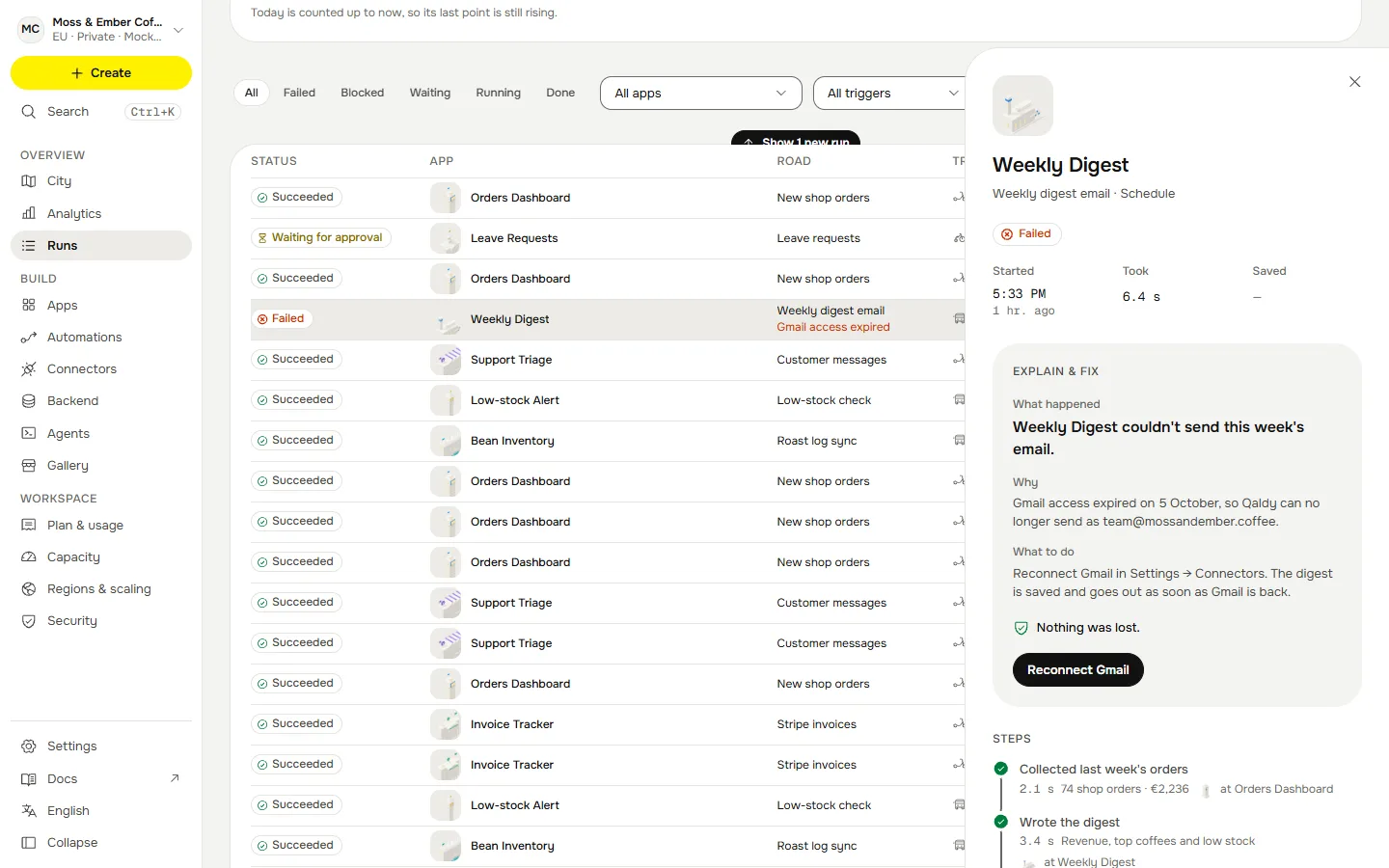
Understand a failure#
Open a failed run and press Explain & fix. You get what happened, why, the next step, and whether any data was lost. The explanation is written from the platform's own record: the steps, the error and every call the gate allowed or refused. An app's own console output is not kept.
Get told first#
Open Alerts (admins). Rules tell you when an app fails too often, goes quiet, or nears this month's run budget. An alert fires once, says so when it clears, and arrives in the console, by email and on Telegram if connected. Send a test to check where it goes. A heartbeat tells you when an automation that should have called goes quiet.
Change an app by describing the change#
Open the app and describe the change: "also send it to the finance channel", or "run it at 8 instead of 9". Qaldy plans the change and shows what the new version may do that the old one could not. If it widens permissions, you approve it again. Every version stays.
Go back#
Every version is kept with its Trust Score. Roll back moves the app to an older version in one step, with no rebuild. A rollback is a new line in the history, and you can undo it the same way. A version the Trust gate held back cannot be made live.
Pause#
Pause stops an app without removing it. A paused app keeps its code and its settings, and you can resume it any time.