Your team: roles, invites and handover
Invite people, give each a role, give an agency or freelancer access that ends on a date, let a company domain join, remove someone cleanly, and hand the workspace over.
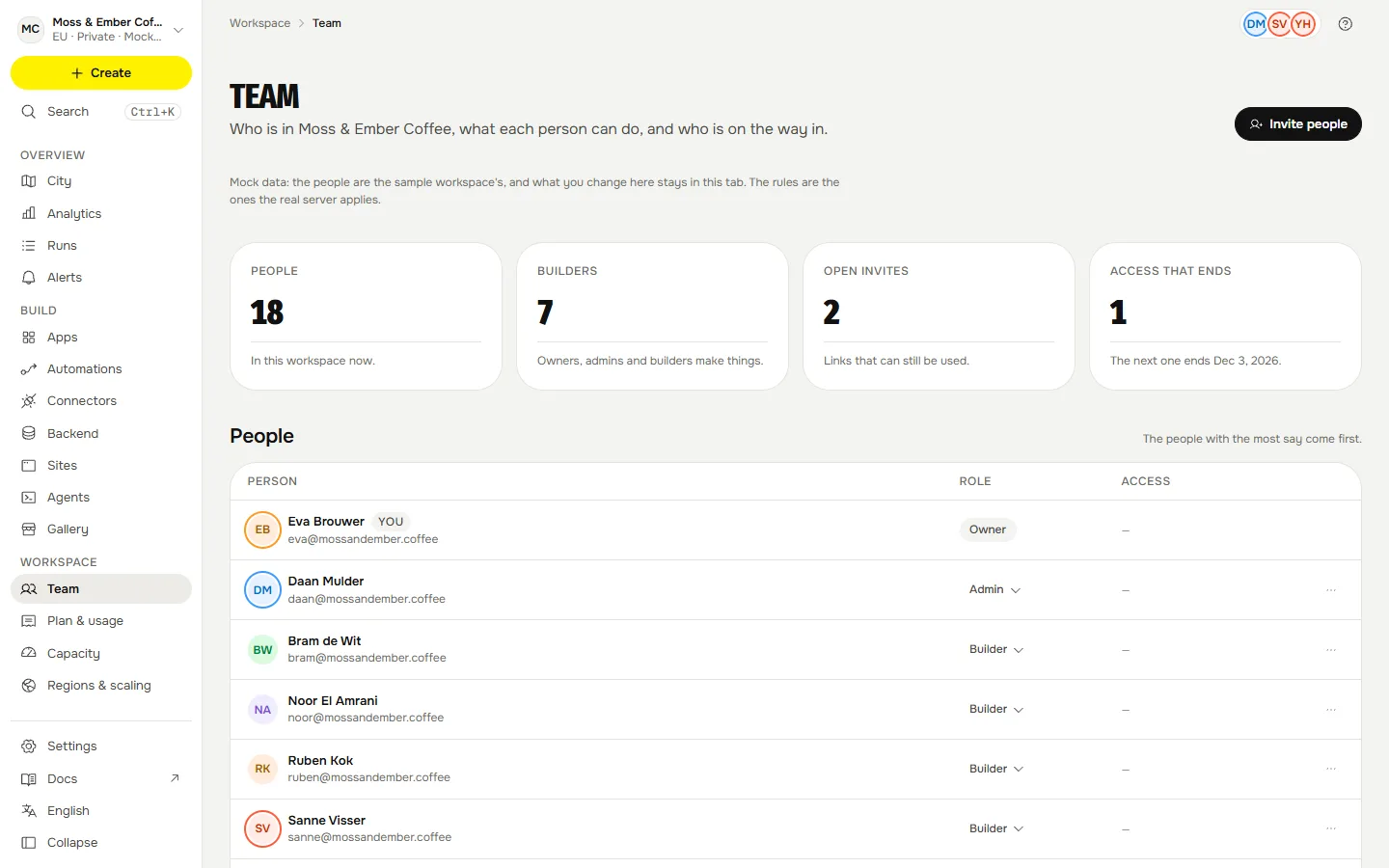
A workspace belongs to the company, not to whoever created it. The Team page in the console is where the company brings people in, decides what each may do, and takes access back.
The five roles#
Roles are a ladder: each one can do what the ones below it can. The full table is on Permissions and roles. In short: a viewer looks, a member opens and runs what is shared, a builder also makes apps, automations and backends, an admin also connects services and invites people, and the owner also sets the spending cap and hands the workspace over. Plans count builders; people who only open apps are never counted.
Invite people#
Press Invite people on Team.
- Enter one or more email addresses and pick a role: admin, builder, member or viewer.
- Choose how long the link works, from 1 to 30 days (7 by default).
- Send it by email, or just make the links. The links come back once in the answer, and the server keeps only their hash, so a workspace without email set up still works.
An invite is for one address only: the person must sign in with a verified email address that matches. An expired, revoked or used invite is refused. Open invites lists the ones that can still be used; you can copy a new link (which kills the old one) or revoke it.
To keep Qaldy's mail from being used to flood an inbox there are limits: five emails a day to one address and fifty a day per workspace.
Access that ends on a date#
For an agency or a freelancer. Invite as builder, member or viewer with an end date (from one hour to a year ahead), or set it later on a member under People whose access ends. On that day their access closes by itself, their tokens stop, and an audit row and an email say so. A person with an end date can never be an admin or an owner, and an invite with an end date cannot outlive it. The gate and the runtime learn of an ended access within a minute.
Remove someone#
Remove from workspace takes away every role they had, their team memberships and their direct access to the workspace's apps. The apps they owned go to the person who removed them. Their personal tokens in this workspace are revoked, one audit row is written, and they get an email. An open live feed of theirs closes within a heartbeat.
Hand the workspace over#
Only the owner can. Hand over the workspace needs the workspace's name typed back and goes to someone permanent (not a person with an end date). The old owner becomes an admin, both of you get an email, and it is an audit row. Ownership is handed over, never assigned: an admin cannot make or change an owner, and a workspace always keeps an owner.
Let a company domain join#
An admin can claim a domain under Company domain:
- Add the TXT record Qaldy shows at your DNS provider: a name
_qaldy-verify.<your domain>and a valueqaldy-verify=<token>. - Wait a few minutes, then press Check now. Nothing changes until Qaldy sees the record (a real DNS lookup).
- Switch on People with an @your-domain address can join and choose Member or Viewer. Never more.
A person who signs in with a verified address on that exact domain is offered a one-click join. Mail providers anyone can sign up with (gmail.com, mail.ru, yandex.kz and more) cannot be claimed. Not built: re-checking a verified domain later, claiming subdomains, and requiring Google or Microsoft sign-in for a domain.
The rules that never bend#
- Only an owner or an admin invites, changes roles, removes people or touches the company domain.
- Nobody changes their own role, and the last owner cannot leave or be demoted.
- An admin cannot make an owner, change an owner or remove one.
- Every change takes turns per workspace and is checked again under a lock, so two admins pressing at once cannot leave a workspace without an owner.
Email#
Sign-in codes, invites, role changes, removals, ended access and ownership changes are sent in English, Russian or Kazakh by the recipient's language, as plain text with an HTML twin: no images, no tracking, no remote fonts. The sender is Qaldy Cloud <login@mail.qaldy.com>. The Russian and Kazakh text was written by us and has had no native read.
Not built#
- Single sign-on. Sign-in is an email code; Google sign-in is offered where an install has set it up.
- Re-checking a verified domain, and requiring a sign-in method per domain.
- Invite and verification limits are per API process; the pilot runs one.